Welcome email implementation guide: triggers, sequences, and deliverability
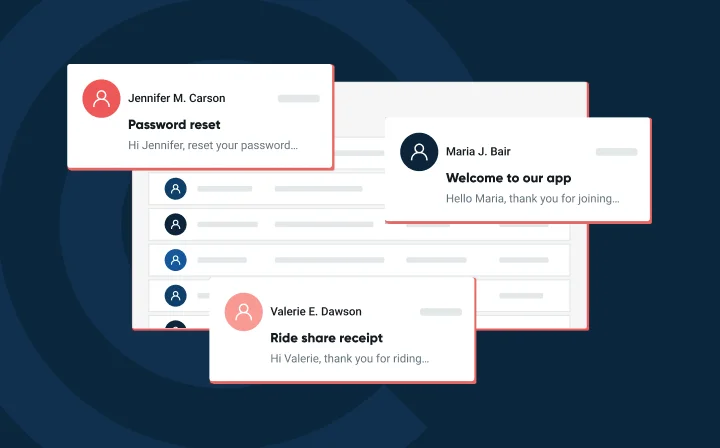
Welcome emails are the easiest win in your transactional email stack, and somehow still the most common place things go quietly wrong. Wrong timing, broken merge tags, missing authentication, or a domain reputation you didn’t know was tanking.
This guide covers all of it: how to structure the sequence, how to trigger it reliably via API, and how to measure whether it’s actually working.
What is a welcome email, and why does it matter?
A welcome email is an automated, event-triggered message sent immediately after a user takes a key action. This could be a newsletter signup, account creation, or first purchase. Unlike campaigns that send to a fixed list at a scheduled time, welcome emails are individualized and behavioral. They fire because someone did something.
According to our 2026 Email Impact Report, 78% of email senders describe email as either “very” or “extremely” important to organizational success. Welcome emails sit at the top of that value chain because they catch people at the right moment.
The job of a welcome email is simple: introduce your brand, set expectations around what you’ll send and how often, and nudge one clear next action. That might be completing a profile, redeeming a discount, or just getting to know your product.
Single welcome email vs. onboarding sequence: how to choose
Not every new subscriber needs five emails. Not every new customer needs one. Here’s how to decide.
- Use a single welcome email when the offer is simple and the next action is obvious. A discount code for a first purchase, a content download, or a newsletter subscription. These don’t need a five-email follow-up. Keep it focused, deliver the promised value, and include one clear CTA.
- Use a 3–4 email onboarding sequence when your product requires setup, education, or guided first use. SaaS tools, apps with multiple features, or any service where time-to-value isn’t instant benefit from a short series that maps goals across the next few days.
The deciding factors are product complexity, purchase cycle, and user intent. Someone who signed up because they wanted a discount wants fast, frictionless value. Someone who signed up to solve a complex workflow problem needs a little guidance first.
Anchor the choice in KPIs. For ecommerce, first purchase rate and revenue per recipient. For SaaS, activation events, upgrades, or time-to-first-value. Low complexity favors a single message. Higher complexity and longer sales cycles favor a series.
Best practices for welcome emails that drive action
Welcome emails underperform if they arrive late, are cluttered, or ask for too much. Here’s how to avoid all three.
- Send immediately. Trigger your welcome email the moment the signup event fires. Delays erode intent. If you promised something like a discount, a guide, or a confirmation, every minute you wait costs you trust.
- Write a concise, benefit-led subject line. Seven words or less. Your subject line tells the reader what’s in the email before they open it. See what actually moves open rates. Then use preview text to add context, not repeat it.
- Lead with the value. Promised a discount? Put the code near the top. Promised a guide? Link to it directly. Don’t make people scroll to find what they came for.
- One goal, one CTA. The more buttons or links you add, the fewer clicks you get. Pick the single most important next action and make it impossible to miss.
- Design for clarity and compliance. Design with a mobile-first layout, readable typography, and sufficient color contrast. Include your unsubscribe link, preference center, and support links in every footer. Not just because the law says so, but because it builds trust.
Personalization that goes beyond “Hey, [first name]“
First-name tokens are table stakes. The welcome emails that actually convert go deeper.
- Use what you know from signup. If someone came from a paid campaign for outerwear, show them outerwear. If they joined from a how-to article, send them the quick-start video. Map the acquisition source to the content they see. Dynamic blocks make this manageable without a separate template for every segment.
- Trigger variations based on early behavior. A user who created an account but skipped setup needs a different message than one who completed it in 20 minutes. Event-based sends – triggered by first app action, abandoned setup, add-to-cart – outperform fixed-cadence sends because they’re relevant by design.
- Set fallback values for every token. First name falls back to “there.” Category falls back to your top-selling collection. Never let a broken merge tag greet your newest customer with “Hi {{first_name}}” – it’s the fastest way to undo a good first impression.
- Use progressive profiling. Early emails are a good opportunity to ask recipients what they want from you. Use what you learn to make sure your follow-up content stays relevant rather than generic.
Welcome email content approaches: what to include and when
The right content depends on what you want the reader to do next.
- For a first purchase: Lead with the incentive. Make the code visible and redemption frictionless. Pair it with a curated product showcase so there’s something to act on immediately.
- For activation: Lead with the quick-start checklist or a short setup video. Confirm the account, get them to one meaningful action, and remind them support is available.
- For a content subscription: Deliver the promised resource first. Then tell them what’s coming next – content type, cadence, topics. Set the expectation so they recognize you in their inbox.
Human elements work, too. A brief founder note, a team photo, or a short video greeting builds rapport in a way a polished template can’t. Keep these modular so you can mix and match across audience segments without rebuilding from scratch.
If social proof is relevant, add a strong customer quote or review near the top of email two or three – not email one. Email one is about delivering value, not selling your own credibility.
The 3 to 4 email onboarding sequence blueprint
Here’s a minimal sequence structure that works across most SaaS and ecommerce contexts. The cadence is a starting point – adjust based on your product’s time-to-value and what your data tells you.
Day 0 – immediately: welcome + one action
Deliver what you promised. One CTA. No upsell. The goal is a single activation event, not a product tour.
Day 2 – check-in: branch on behavior
Did they complete the setup step from email one? Branch here. If yes: send a feature highlight or next logical step. If no: resend the nudge with a support link. Trigger this from a “no activation” event in your system, not just a timer.
A real customer result, relevant to their signup context. Keep it specific and short. This is the email where credibility starts doing work.
Day 9 – soft upgrade prompt or resource
Depending on your product type: a soft upgrade prompt for SaaS, a curated content resource for newsletters, or a product recommendation for ecommerce. By day nine, they’ve had enough time to form an opinion of your product. This is where you meet it.
Wherever possible, trigger each email from a behavioral event rather than a fixed timer. Day 2 should fire on “no activation,” not a clock. A sequence that responds to what users actually do converts better than one that just waits.
How to ensure your welcome emails reach the inbox
Our 2026 Email Impact Report found 40% of senders name staying out of spam as their top deliverability challenge. Welcome emails aren’t immune. A poorly authenticated domain, a bad IP reputation, or a spike in send volume can push even expected messages into spam – and most recipients won’t dig them out.
- Set up SPF, DKIM, and DMARC. These authentication protocols tell inbox providers your email is legitimate. Without them, even wanted messages look suspicious. As of 2025, 51% of senders using DMARC have moved to quarantine or reject policies – the bar is rising.
- Send from a consistent domain and subdomain. Mixing transactional and marketing traffic on the same IP or domain creates noise in your reputation signals. Consider separating your welcome sends from bulk campaigns.
- Validate addresses at signup. An invalid address on a welcome email is a hard bounce waiting to happen. Use email validation at the point of collection to keep your list clean from day one.
- Monitor performance from send one. Delivery rate, bounce rate, and complaint rate are the first signals that something’s off. Mailgun’s deliverability tools give you that visibility before small problems become reputation damage.
Deliverability isn’t just a technical problem; it’s a business problem. An email that lands in spam at the moment of highest subscriber intent is revenue you won’t get back.
How to trigger welcome emails via Mailgun API
Welcome and onboarding emails should fire automatically from your app, form, or ecommerce backend the moment a signup event occurs. Here’s how to do it.
Basic send: POST to the messages endpoint
Map your subscriber attributes – first name, signup source, category preference – to template variables. Mailgun handles delivery, logging, and retries.
                                    curl -s --user 'api:YOUR_API_KEY' \

  https://api.mailgun.net/v3/YOUR_DOMAIN/messages \

  -F from='Welcome <welcome@yourdomain.com>' \

  -F to='new.user@example.com' \

  -F subject='Welcome to [App Name]' \

  -F template='welcome-email' \

  -F 'h:X-Mailgun-Variables={"first_name": "Alex", "signup_source": "homepage"}'
A few things to build in from the start
- Idempotency keys. If the same signup event fires twice from network retries or form resubmits, an idempotency key tells Mailgun to treat it as one send, not two. Without this, users get duplicate welcome emails.
- Secure API key storage. Never hardcode keys. Use environment variables and scoped API keys with the minimum permissions required.
- Fallback values for every template variable. If a token is missing, your template should degrade gracefully rather than rendering a broken tag. Set defaults at the template level.
- Exponential backoff for retries. If a request fails, wait before retrying. Log failures so you can spot patterns if they recur.
Chaining a behavioral sequence with webhooks
If you’re orchestrating a multi-step onboarding sequence, trigger each subsequent message from a Mailgun webhook event rather than a time-based scheduler. For example: fire email two when Mailgun reports a click on email one’s CTA. This keeps your sequence behavioral rather than purely time-based.
Use the Events API to track what happens after the send: delivery, opens, clicks, bounces. This data feeds your optimization loop and catches deliverability issues before they compound.
Measuring performance: what to track and how to use it
Track what moves the needle for your specific goal – not just what’s easy to measure.
- Open rate: useful for subject line A/B tests, but a noisy signal on its own. Apple’s Mail Privacy Protection preloads tracking pixels regardless of whether the recipient actually opened the message, so apparent open rates can be inflated. Pair it with click rate and downstream conversions for a more accurate picture.
- Click-through rate: test CTA placement, copy, and the number of competing links. If CTR is low, the problem is usually too many options, not the wrong CTA.
- Conversion or activation rate: test offer type, sequence structure, and message content. This is the metric that actually tells you if the email did its job.
- Revenue per recipient: use to calibrate discount depth and identify which segments convert best.
- Time-to-first-value: track by cohort to understand whether a tighter cadence (Days 0, 2, 5, 9) outperforms a slower one. The answer varies by product.
Don’t over-optimize a single email in isolation. A welcome series is a system. A perfect email one that doesn’t set up email two for success isn’t a win – it’s a setup for a broken sequence.
Maintain list hygiene throughout the onboarding window. Remove hard bounces immediately, suppress repeated non-openers after the series ends, and avoid overlapping sends from other programs during the first 10 days. That window belongs to onboarding.
What goes wrong with welcome emails (and how to fix it)
Delaying the first send
The most common and most costly mistake. Every minute between signup and welcome email is a minute of cooling intent. Fix it at the infrastructure level: your welcome email trigger should fire from the same event that creates the user record, not a downstream job that runs every 15 minutes. If you’re using a queue, monitor lag. If you’re calling the Mailgun API directly from your signup handler, you’ll know immediately if something fails.
Cluttered layouts and competing CTAs
More buttons mean fewer clicks. If your welcome email has three CTAs, you don’t have a design problem. You have a prioritization problem. Decide what one action moves your most important metric, make that the CTA, and move everything else to email two or three. A/B test CTA placement and copy before you A/B test anything else.
Personalization without clean data
Broken merge tags do more damage than no personalization at all. The fix is two-part: set fallback values for every variable at the template level, and test with real edge cases before you send (i.e. empty strings, special characters, names in non-Latin scripts, missing fields). Don’t discover your fallback is broken when a real user gets “Hi ,” in their inbox.
Ignoring deliverability until something breaks
Authentication, IP reputation, and list hygiene aren’t one-time setup tasks – they drift. Run email validation at the point of signup, not as a cleanup job after bounces accumulate. If you’re using Mailgun, set up monitoring on delivery rate, bounce rate, and spam complaints from send one, so you catch a potential reputation problem before it compounds across your whole onboarding cohort.
Judging the sequence by email one alone
High open rates on email one can mask a broken sequence. Track the full funnel: open and click rate per email, activation rate at the end of the sequence, and drop-off between emails. If 60% open email one but only 20% open email two, the problem isn’t email two’s subject line – it’s that email one didn’t set it up.
Get your welcome emails working harder
A welcome email doesn’t need to be clever. It needs to be fast, clear, and relevant – and it needs to arrive.
Trigger it the moment the signup fires. Deliver what you promised. Make the next step obvious. Proper authentication, clean lists, monitoring from send one – and for complex products, a short goal-driven sequence that guides people to value.
Mailgun gives you the infrastructure to do all of this reliably: API-first sending, deliverability monitoring, email validation, and the logs you need to know what happened to every message you sent.
Set up your first welcome email in Mailgun – it takes about 10 minutes. Start for free →
See why over 150,000 developers and businesses trust us to get their emails to the inbox.