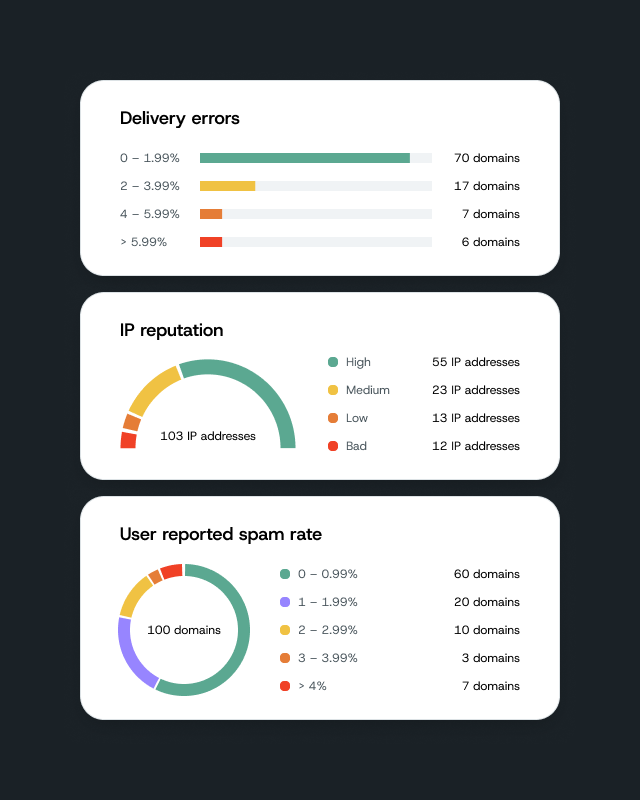
Every Optimize account can now click through the past seven days in AI Insights to see what happened each day, good or bad, and what to do next.
AI Insights is now live in Mailgun Optimize
AI Insights is now live in Mailgun Optimize, out of beta. Click through any of the past seven days to see what happened, whether it was a good day or a bad one, and what to do next.
Why should I care?
You have your delivery data. But you lack interpretation. Delivery rates, bounces, and failure counts tell you something changed, but not why. AI Insights reads your Mailgun delivery data and tells you what’s going on and what to do, it in plain language.
- Your past week, one day at a time. Click into any of the last seven days to see what happened. Days with issues are flagged with a red dot, so you know where to look first.
- Know what to do next. Each day comes with a plain-language summary, not a chart to decode. Days with delivery issues include the most likely causes and recommended actions.
- Good days and bad days, at a glance. Issues show in red. When a day goes well, AI Insights shows what’s working in green, so you can keep it up.
What you need to do
Already on Optimize? Find AI Insights in your Optimize nav and turn it on.
New to Mailgun entirely? Compare plans and start a trial at mailgun.com/pricing/optimize.
Already sending with Mailgun, but new to Optimize? AI Insights is part of every Optimize plan, and your first month is free on Pilot and Starter. Start a 30-day free trial.