Product
Mailgun Hack Day: Making our API documentation smarter
Each month our team has the opportunity to hack on whatever it is we want to hack on. A fun way to learn something new, collaborate with different team members or just tidy up something that has been bugging us.
For January’s hack day, a few of us (Anton, Jesse and myself) set out to make some improvements to our API Docs.
The problem
Our API is well documented and has a good range of code samples for all the major programming languages. However, there are a couple of things we noticed about the workflow.
To try an API request, a developer would typically:
- Copy a code sample to a text editor
- Edit some parameters (e.g. sender, recipient, body text)
- Go to their Mailgun Control Panel to copy their API key
- Go back to the code editor and paste the key
- Copy that sample to their command line and execute
For quickly exploring a new service or testing out a new endpoint, this seems like a couple of steps too many.
The solution
Part 1: Your Mailgun settings injected into code samples
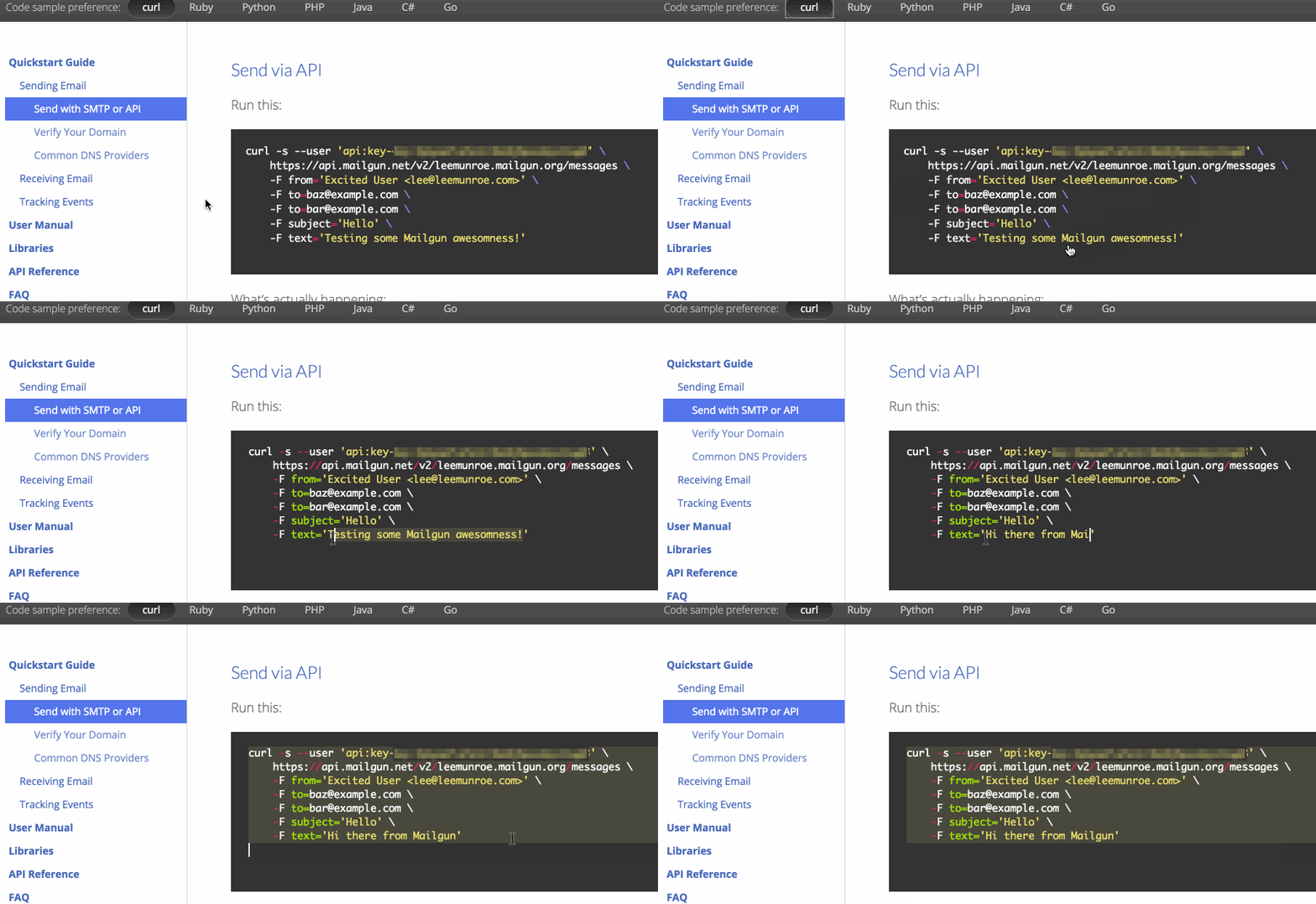
Now the code samples we show you are a bit smarter. If you’re logged in to Mailgun, we will inject your API key and some smart defaults for you.
Therefore it’s just a matter of copy/pasting the code samples into your command line, executing, and they should work off the bat.
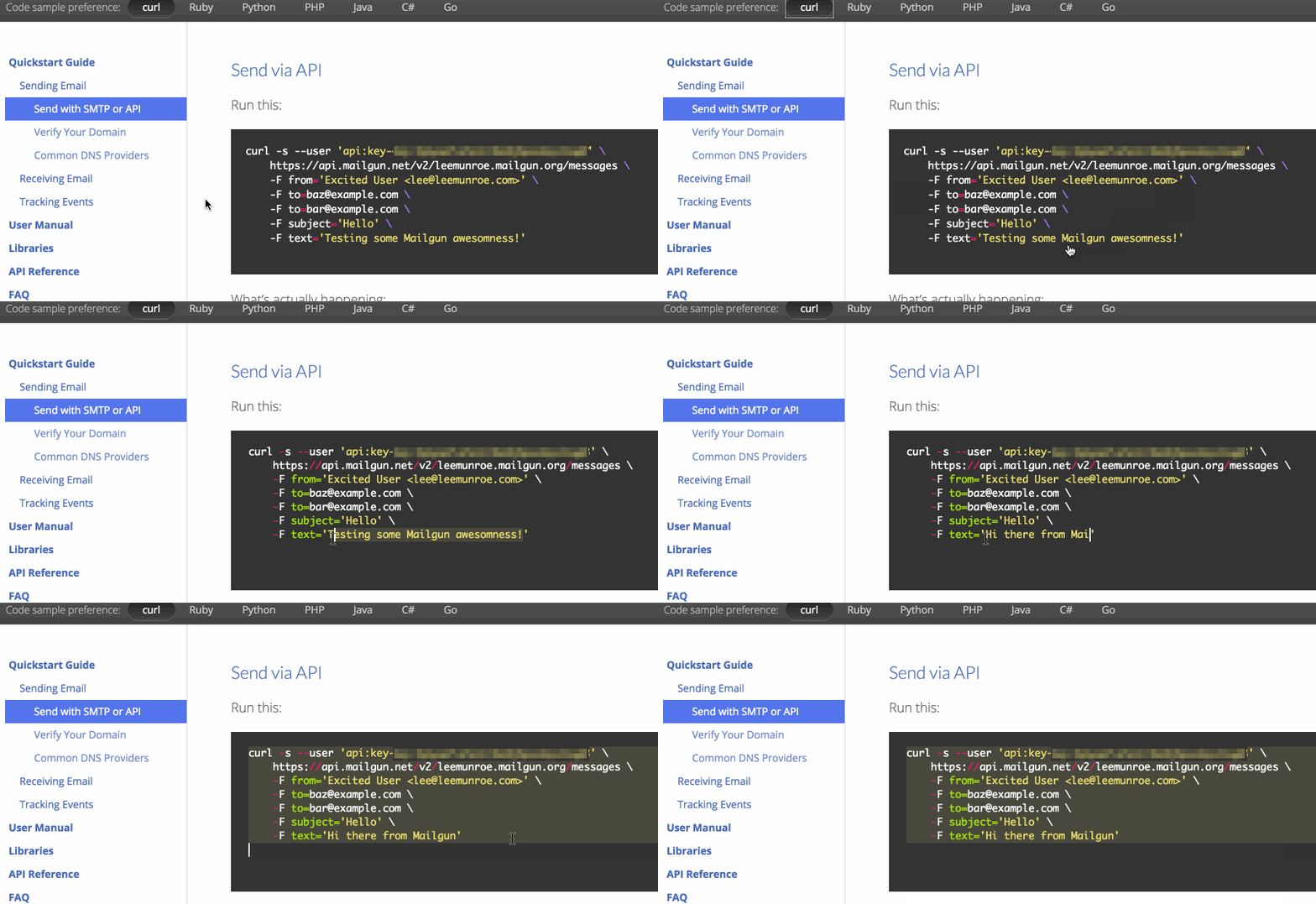
Part 2: Code samples are editable in the browser
We’ve also made the code samples editable. Using Ace editor, clicking on any code sample will turn it into a small in-browser text editor that you can make changes to.
Conclusion
API docs are instrumental to the user experience of a developer service. With the above changes shipped to production, we hope that trying out our API should be a lot easier for new developers exploring our service and existing developers that want to test or troubleshoot different API endpoints.