Integrations
Mailgun MCP Server
Overview
Manage Mailgun directly from your AI client. Send emails, troubleshoot bounces, and generate charts without writing code or navigating dashboards.
KEY FEATURES AND BENEFITS:
- Send emails through conversational prompts
- Fetch delivery metrics for any date range in seconds
- Retrieve bounce logs to monitor sender reputation
- Generate charts of email performance on demand
- Validate email addresses and domains before launch
- Zero-code setup for fast deployment
With MCP Server, you can generate unique charts using Mailgun data with a simple prompt.
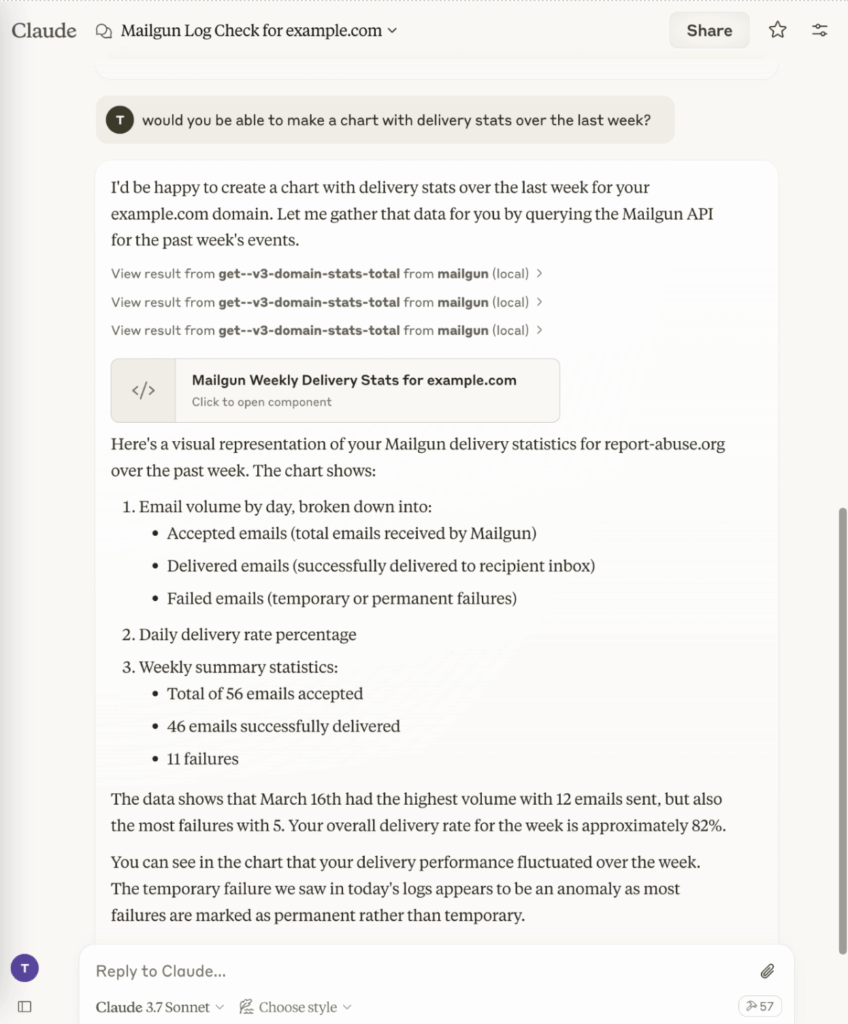
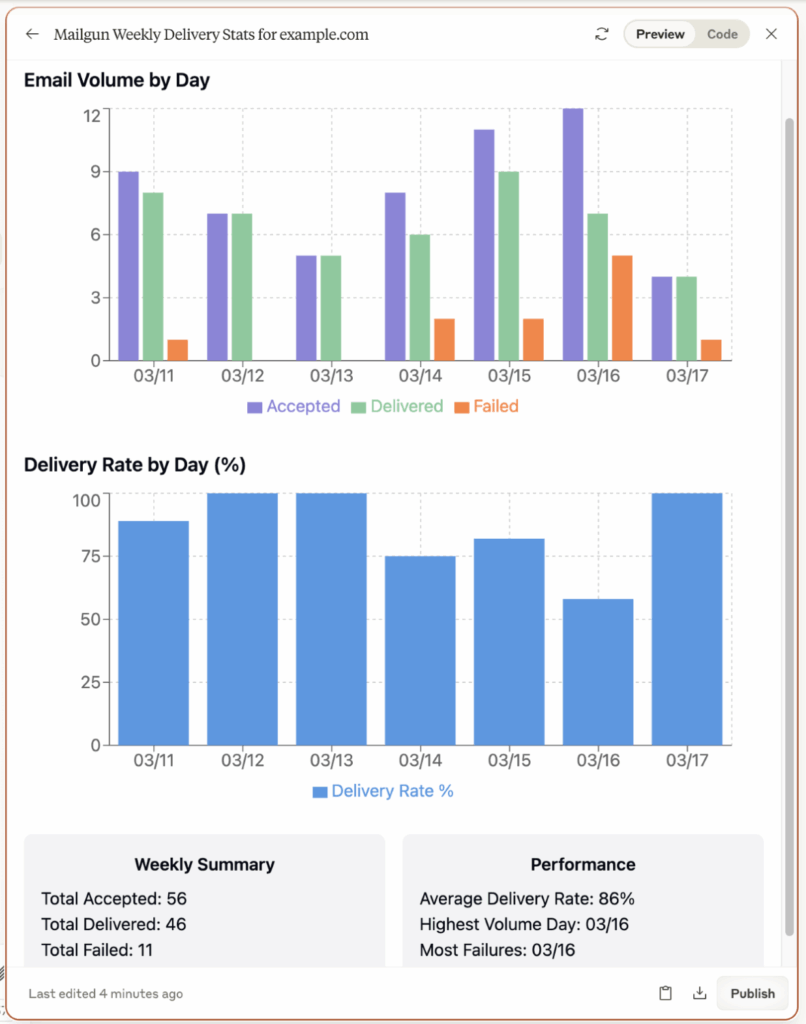
Automate email tasks and analytics with Mailgun MCP Server integration.
Use Cases
Top ways teams use Mailgun MCP Server integration
Send transactional or marketing emails
Analyze domain performance metrics
Audit bounce and spam rates
Generate visual reports

How To Enable The Integration
Quick start in four simple steps
Set up Mailgun MCP Server integration locally and connect your AI client in minutes.
Step 1: Clone the Mailgun MCP Server repository to your development machine.
Step 2: Run npm install inside the project to install dependencies.
Step 3: Add your Mailgun API key and server path to your AI client’s MCP settings.
Step 4: Launch the AI client, load the Mailgun tools, and send a test email.
Why Sinch Mailgun
Why Choose Sinch Mailgun
Trusted global scale
Faster time to value
Secure by design
FAQS
Frequently asked questions about Mailgun MCP Server
Mailgun MCP Server integration implements the Model Context Protocol. AI assistants translate natural language prompts into Mailgun API actions for sending emails and retrieving analytics without custom code.
You need a Mailgun account with an API key, Node.js v18 or newer, Git, and an MCP-compatible AI client such as Claude Desktop.
Yes, you can use AI prompts to compose and send individual or batch emails for both transactional and marketing purposes.
The integration uses your existing Mailgun API key, encrypts communication, and runs locally to keep email data and credentials secure.
You can access delivery stats, bounce rates, spam complaints, open and click rates, and generate visual reports directly from AI commands.
Visit the official Mailgun MCP Server guide or the GitHub repository for setup instructions, examples, and troubleshooting.