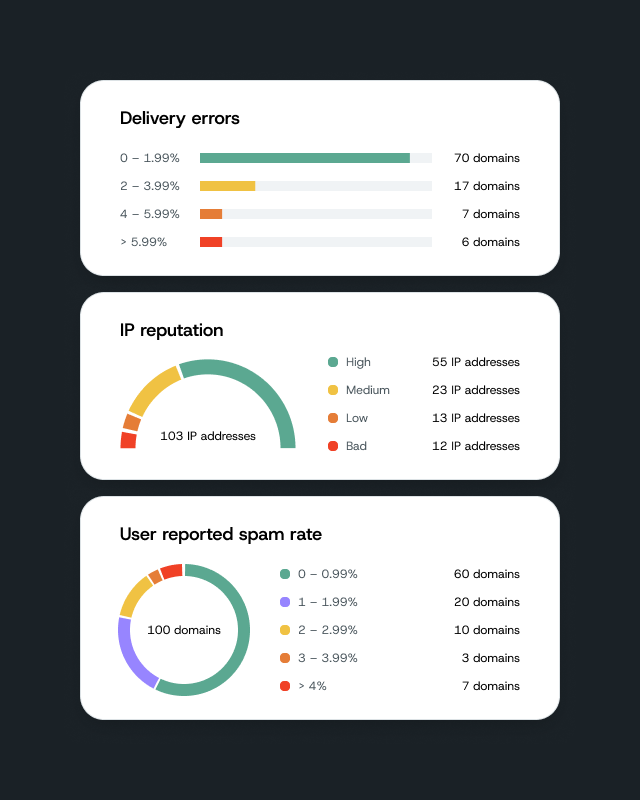
A new customizable dashboard is now live in Mailgun Send.
Each team keeps an eye on different data. Marketing wants to know open and click rates, Deliverability wants to know what critical failures are happening, etc. That’s why we’ve released a user configurable dashboard so the data that matters to you is front and center every time you log in.
Why should I care?
It’s the same dashboard you know, now built around you and your needs.
- Your dashboard. Your rules. Pick the metrics that matter to you from the widget library. Show each one as a stat card, bar chart, or line graph. Add it, move it, resize it, make it yours.
- Your go-to reports, right where you land. Create a Metrics report by domain and time frame, then pin it. It stays exactly how you set it.
- Everything in one place. Right when you log in. Delivery rate, bounce rate, and failed rate, side by side.
- Spot changes at a glance. A bounce spike is the first thing you see, front and center.
- Built for you, not the whole account. Every user saves their own view. Your teammates keep theirs.
Log in. See what matters. Get back to work.
What you need to do
Nothing to turn on. Open your dashboard, click customize and add your first widget. A quick in-app welcome guide walks you through it. You can also visit our help center article at any time.
Note: this customizable view is available for paid Mailgun Send plans. Free users will see a revamped dashboard with a default chart layout. Mailgun Optimize views are coming soon.